Price: Free
Rating: 
Baby Writer: Letters and Words
Android App Review by AndroidAppsReview.com
Reviewed by Sarah Hanlon
Sure to be a hit with parents and kids everywhere, Baby Writer is an excellent app for teaching youngsters how to write and audibly recognize words. Developed by Baby Cortex, this is definitely an educational app that’s worth taking a look at.
Concept and Functionality
I consider Baby Writer to be a diamond in the rough as far as educational apps. While I’ve reviewed plenty of apps that help children learn to read or practice basic math, handwriting is a subject that’s definitely not covered very often.
Baby Writer does an excellent job of encouraging young children to write words correctly using a variety of methods, all of which are effective. Featuring a plethora of words and categories, it’s unlikely that children will get bored with Baby Writer.
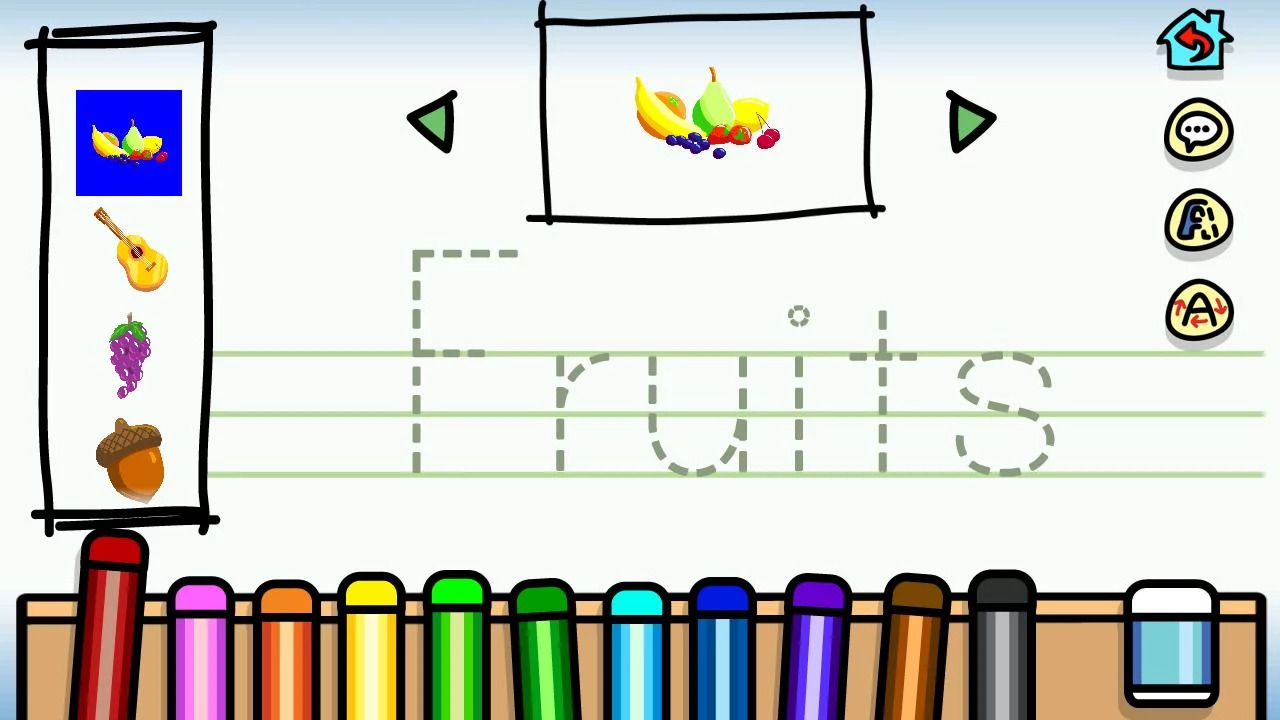
Baby Writer Android App Review
Baby Writer is pleasantly easy to use and navigate, likely eliminating the need for parents to control the app.
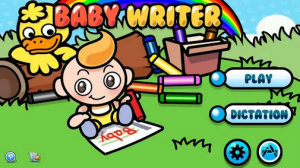
To start, simply choose either Play or Dictation mode. Play focuses on learning how to write words, while Dictation is geared more toward audibly recognizing objects. While writing in Play mode, kids can see a picture of the object they’re writing the name of, as well as a light outline of the word to trace.
Baby Writer is very similar to the classic practice writing papers, so kids should be familiar with what they need to do.
I have to say that Baby Writer is definitely something every parents should at least try with their child. Handwriting is often overlooked when it comes to educational apps and games, which is a shame because devices like the Nexus 7 can handle drawing on its screen incredibly well.
Baby Writer is yet another shining example of how technology can play a useful role in young education.
Features
The hardest part about teaching children something new is keeping them entertained while making sure they’re learning something. Baby Writer includes a few cool features to help spice things up a bit.
First, kids can easily choose the color of their pen by selecting from one of the colors at the bottom of the screen. This can go both ways, though, and might lead to coloring instead of writing.
Baby Writer also includes helpful animated guides to show children how to write letters correctly. This feature is incredibly useful for children who tend to learn better visually. Lastly, I noticed that Baby Writer doesn’t erase what was written on a page even when you progress to the next object so long as you don’t navigate back to the main screen.
This little trick is great for parents who would like to go back and see how well their child performed.
Value
Baby Writer can be downloaded from Google Play for free, but you’ll need to purchase in-app upgrades if you want to unlock more than one category and a handful of words.
However, I believe Baby Writer is worth every penny and I definitely recommend downloading it to see for yourself!
 Baby Writer requires Android 2.2+. You can download it from Google Play.
Android App Review’s rating:
The best Android apps are reviewed by AndroidAppsReview.com